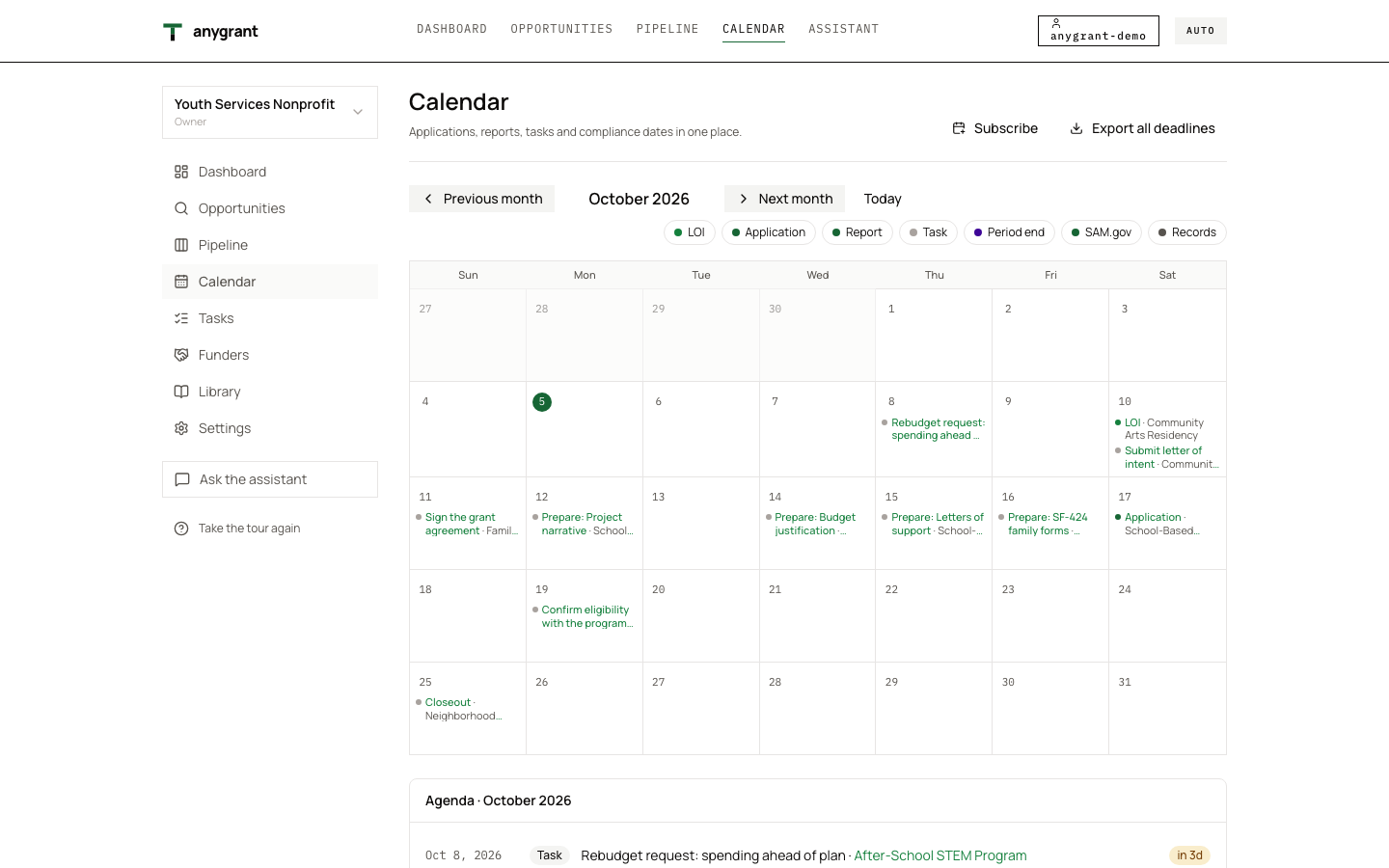
Manage every grant from first idea to closeout
A dashboard that says what needs doing
The dashboard opens on the year at a glance: the open pipeline and its likelihood-weighted value, what you were awarded this fiscal year, your win rate and how much falls due in the next 30 days. Below it, every deadline and task for the next 30 days, the pipeline by stage, your active awards and your spending.
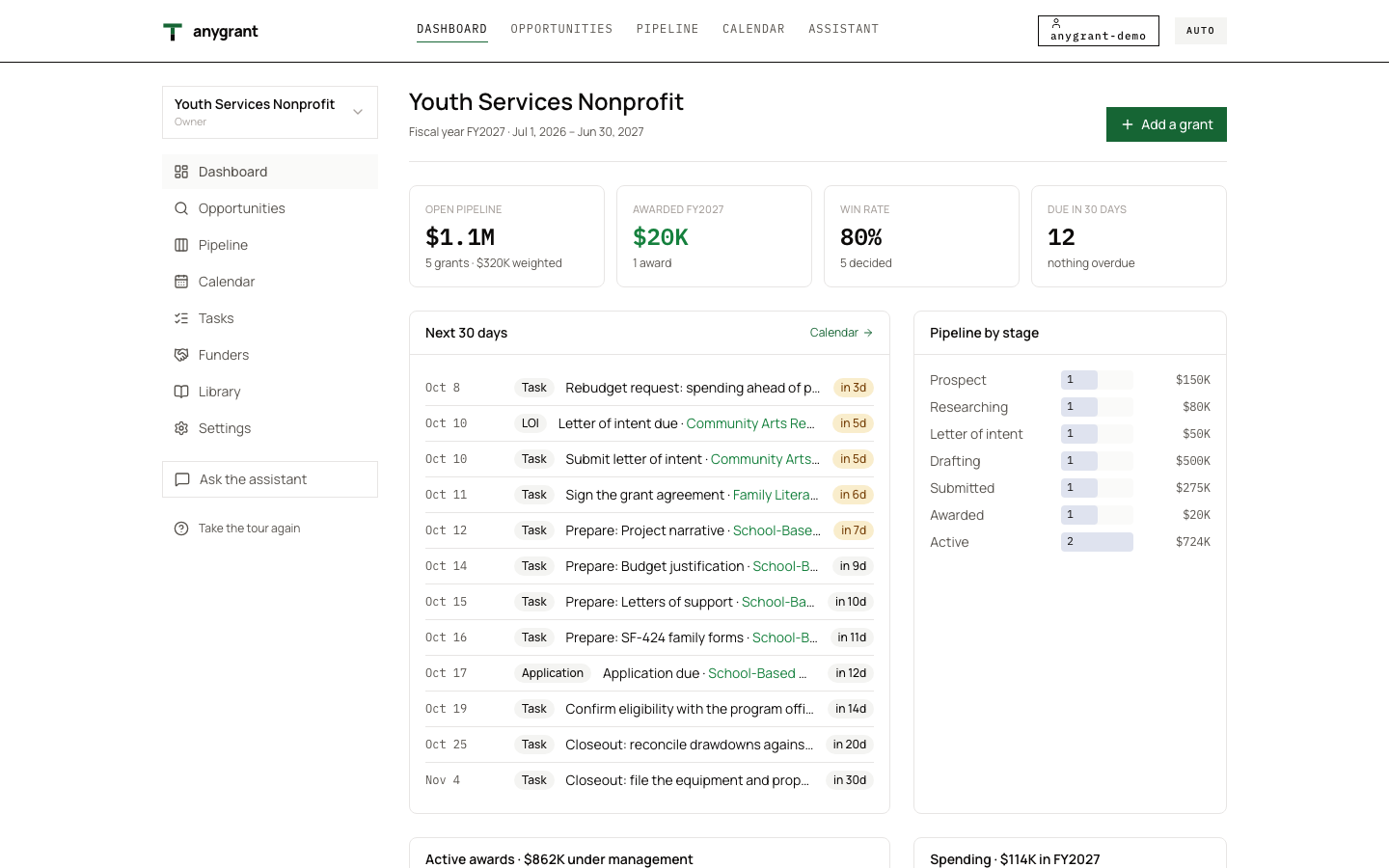
- Amber date: due within a week
- Green name: opens the grant it belongs to
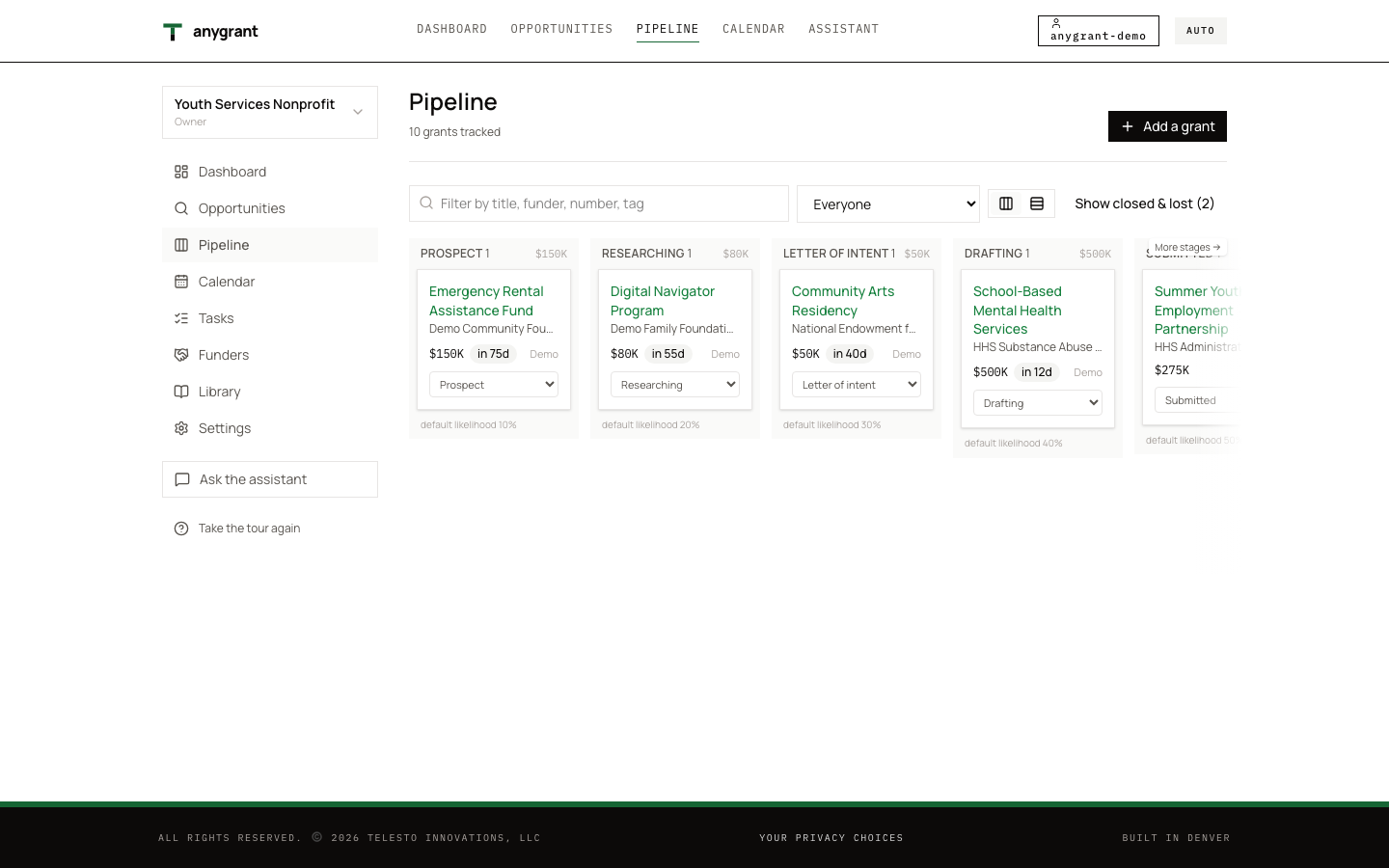
Pipeline
Every grant on one board, from prospect through researching, letter of inquiry, drafting, submitted, awarded, active and closeout, or declined with the reason it was declined.
Application workspace and content library
Draft each section of an application next to the requirement it answers, with the checklist built from the Notice of Funding Opportunity: the document a funder publishes to ask for applications. It sets eligibility, deadlines, award amounts and what the application must contain.. Reuse your mission, history, evaluation plan and staff bios from the content library instead of rewriting them.
Budgets, spending and cash
Build the budget by The federal budget form for non-construction programs: the budget by object class, federal and non-federal. object class, federal and match. AnyGrant computes indirect costs on Modified total direct costs: the base an indirect cost rate is applied to. It leaves out equipment, rent, tuition and the part of each subaward over $50,000, among others. at your negotiated rate. Import spending from your books, see budget vs actual by line, and record each A request to the funder for cash against an award, usually for costs already incurred. until the cash arrives.
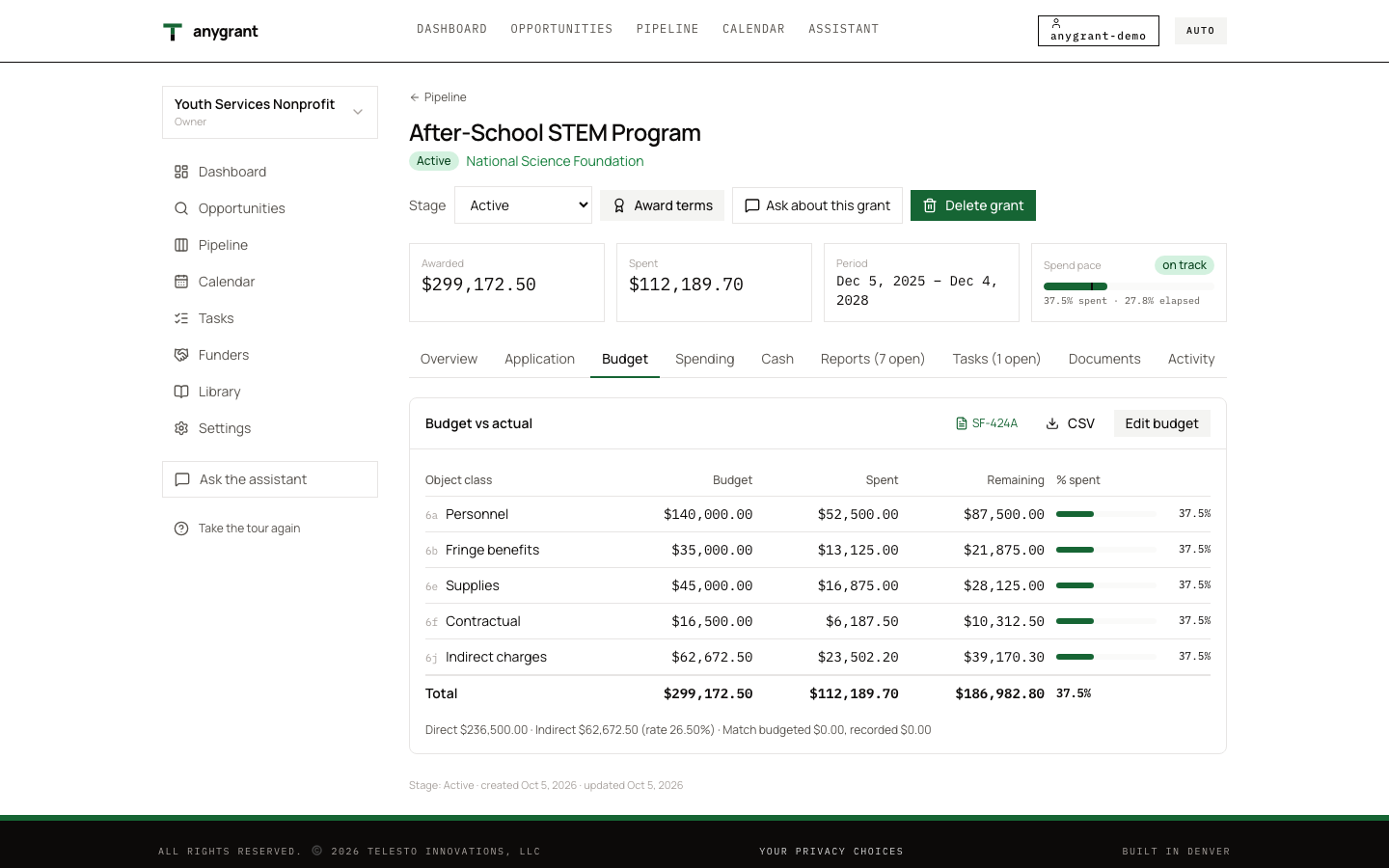
- Green bar: share of the line spent
- 6a to 6j: the SF-424A line each budget line fills
Reports, forms and closeout
The reporting schedule comes from the award’s period and frequency. The compliance tools fill in the The Federal Financial Report: cash received and spent, and the federal and recipient share of outlays, for a reporting period. and SF-424A worksheets from your own numbers. Closeout lists what is left: final reports, the last drawdown, records to keep.
Calendar, tasks and your team
Every deadline and report is on one calendar, with email reminders two weeks, one week, three days and one day ahead, and a private iCal feed for your own calendar app. Assign tasks, keep funder contacts and their history, and invite your team as owners, editors or read-only viewers. A consultant can run several organizations from one account.